
 代码收藏家
代码收藏家 Python中字符串处理详解与实践
初次学习,若有错误还请指正!
目录
字符串的定义
字符串的基本使用
统计字符串长度:len
统计某一个(子)字符串出现的次数:count("字符串")
某一个子字符串出现的位置:index("字符串")
格式化字符串
字符串查找和替换
查找:find()
替换:replace()
字符串的分割和拼接
分割:split()
拼接
字符串清除
字符串大小写
字符串的定义
字符串 就是一串字符,是编程语言中表示文本的数据类型
在python中可以使用**一对双引号 " " 或 一对单引号' ' 或 三引号''' ''' 定义一个字符串
虽然可以使用 \" 或者 \' 做字符串的转义,但是在实际开发过程中:
如果字符串内部需要使用 "",可以使用''定义字符串
如果字符串内部需要使用 '',可以使用""定义字符串
a = 'hello'
b = "world"
c = '''ptthon'''

#当出现输入时中间出现单引号时,外面的引号必须使用双引号,或将中间的单引号加上转义符
print("Let's go")
print('Let\'s go')

#三引号的作用时可以换行写,而无需转行符
print('''hello
world''')
字符串的基本使用
统计字符串长度:len
hello_str = "hello hello"

#1.统计字符串长度
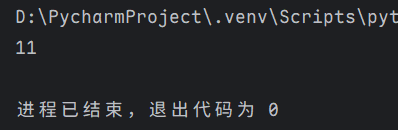
print(len(hello_str))
输出结果为:
统计某一个(子)字符串出现的次数:count("字符串")
hello_str = "hello hello"

#2.统计某一个小(子)字符串出现的次数
print(hello_str.count("llo"))
输出结果为 :

某一个子字符串出现的位置:index("字符串")
hello_str = "hello hello world"
#3.某一个子字符串出现的位置
print(hello_str.index("world"))
输出结果:

格式化字符串
共有三种方式:
#第一种方法:
tempate = '姓名是%s,年龄是%d'
name = 'tom'
age = 20
print(tempate % (name, age))


#也可以用format格式化字符段:
t2 = '姓名是{},年龄是{}'
name = 'tom'
age = 20
print(t2.format(name, age))

#或是直接用f-string
name = 'tom'
age = 20
print(f'姓名是{name},年龄是{age}')
这三种方式得到的输出结果都为:

字符串查找和替换
查找:find()
例:在字符串”python“中查找字母e
#查找,如果未找到返回-1
c = 'e'
word = 'python'
result = word.find(c)
print(result)
因为字符串“python“中不含e,所以输出结果为-1.

替换:replace()
例:将下面文字中的第一个”标兵“替换为”战士“
#替换
word = """八百标兵奔北坡,炮兵并排北边跑。炮兵怕把标兵碰,标兵怕碰炮兵炮。"""

#最后的数字代表改变几个,也可以不写,则默认全部替换
new_string = word.replace("标兵", "战士",1)
print(new_string)
因为我们规定了只更改1个,所以输出结果为:

字符串的分割和拼接
分割:split()
例:将下面文字分别按空格和”兵“字分割
word = """八百标兵奔北坡 炮兵并排北边跑 炮兵怕把标兵碰 标兵怕碰炮兵炮。"""
#以空格分割
print(word.split())

#以”兵“字分割
print(word.split('兵'))
得到的输出结果分别为:

拼接
1.join()
例:在hello中拼接”-“
sy = '-'
word = 'hello'
print(sy.join(word))
输出结果为:

2.要多次拼接相同字符串时
word = 'hello'
print(word*3)
输出结果为:

字符串清除
可以使用strip()清除,但是需要注意该方法只能清楚头尾的元素,若中间也包含该元素则无法清除。
#清除
word = '*人生苦短,我用python*'
print(word.strip('*'))


#只清除头部的
print(word.lstrip('*'))

#只清除尾部的
print(word.rstrip('*'))
三个输出结果分别为:

字符串大小写
大写:upper()
小写:lower()
只大写第一个单词的第一个字母:capitalize()
只打写每个单词的第一个字母:title()
#字符串大小写
word = 'i like PYthon'
print('大写:',word.upper())
print('大写:',word.lower())
print('cap模式:',word.capitalize())
print('标题模式:',word.title())
输出结果为:

作者:Demisse


